Answers · guide reviewed 2026-09-16 · updated 2026-10-27
Do video doorbells need a subscription?
It depends on the brand and recording route. Ring doorbells save no video without a paid plan. Arlo, Aqara, eufy, Reolink, SwitchBot, TP-Link Tapo and Wyze offer local recording without one; Google Nest keeps limited free event history. The cheapest cloud-recording plan is Ring Protect Ring Solo at $4.99 a month. 11 video doorbells in our catalog record locally without a paid plan. The cheapest listed are the Wyze Video Doorbell v2 ($59.98), TP-Link Tapo D210 Battery Doorbell ($59.99) and Wyze Battery Video Doorbell ($65.98); their 3-year cost is the hardware price. For comparison, the Ring Battery Doorbell 2K (2nd Gen) lists at $44.99 and needs $4.99 a month to save video, about $225 over 3 years. Compare where footage is stored before comparing prices: free live view is not saved video.
By the How Many Cameras editorial team · Manufacturer specifications and planning estimates; not hands-on product tests.
Which doorbell brands need a cloud plan
A cloud plan can be required, optional with local recording, or optional with limited free history. Exact storage and feature support vary by model; the table separates those routes instead of treating every paid plan as a requirement.
| Brand | Doorbells tracked | Cloud recording plan | Cheapest cloud plan | Free recording route |
|---|---|---|---|---|
| Arlo | 1 | Optional | Arlo Secure Smart Aware, 1 camera: $9.99/mo | No cloud history. Local recording only through an Arlo SmartHub or Base Station, or a microSD card in Arlo Go 2. |
| Google Nest | 2 | Optional | Google Home Premium Standard: $10.00/mo | 3 hours of event clips on most current models; 6 hours of 10-second previews on the 2025 wired models |
| Ring | 3 | Required | Ring Protect Ring Solo: $4.99/mo | None. Events are recorded only after you subscribe. |
| Aqara | 1 | Optional | — | microSD card |
| eufy | 3 | Optional | — | 8 GB on the doorbell; microSD card |
| Reolink | 2 | Optional | — | microSD card |
| SwitchBot | 1 | Optional | — | microSD card |
| TP-Link Tapo | 2 | Optional | — | microSD card |
| Wyze | 2 | Optional | — | microSD card |
Plan prices are US monthly prices from each brand's plan page with the checked date shown on the model pages. Want the full list instead? Every doorbell that records without a plan, with Canadian prices.
Video doorbells that record without a plan, by 3-year cost
Each model has an explicit no-subscription recording entry and a local-storage entry in our catalog. Prices are the lowest recorded US list price with a checked date; the 3-year cost adds 36 months of the cheapest plan that records, which is $0 for every row. Open a model for variants, Canadian pricing and the manufacturer source.
| Model | Power | Local storage | Price | 3-year cost | Start here |
|---|---|---|---|---|---|
| Wyze Video Doorbell v2 | Existing doorbell wiring | microSD card | $59.98 | $60 | Wired, no plan |
| TP-Link Tapo D210 Battery Doorbell | Rechargeable battery | microSD card | $59.99 | $60 | Battery, no plan |
| Wyze Battery Video Doorbell | Rechargeable battery | microSD card | $65.98 | $66 | Battery, no plan |
| TP-Link Tapo D225 Battery Doorbell | Rechargeable battery | microSD card | $99.99 | $100 | Battery, no plan |
| Reolink Video Doorbell (Battery) | Rechargeable battery | microSD card | $119.99 | $120 | Battery, no plan |
| Aqara Smart Doorbell Camera Hub G410 | Rechargeable battery | microSD card | $144.99 | $145 | Battery, no plan |
| eufy Video Doorbell E340 | Rechargeable battery | 8 GB on the doorbell | $149.99 | $150 | Battery, no plan |
| Reolink Video Doorbell (2nd Gen) | Rechargeable battery | microSD card | $149.99 | $150 | Battery, no plan |
| SwitchBot Smart Video Doorbell | Rechargeable battery | microSD card | $149.99 | $150 | Battery, no plan |
| eufy Video Doorbell C31 | Rechargeable battery | microSD card | Not published | Battery, no plan | |
| eufy Video Doorbell S330 (wired) | Existing doorbell wiring | 8 GB on the doorbell | Not published | Wired, no plan |
Compare no-subscription doorbells in My listAll no-subscription doorbells
Three models to compare by installation
These are documented starting points, not a lab-tested ranking. Each has local recording, but the installation and chime requirements differ. Check the exact regional model, included accessories and current manual before ordering.
| Model | Local recording route | Installation check |
|---|---|---|
| Tapo D225 | microSD storage; Tapo Care cloud recording is optional. | Battery and hardwired modes differ. Continuous recording requires the documented hardwired Always-On setup; the existing chime is not supported in that mode. |
| Wyze Video Doorbell v2 | Local microSD recording, including continuous recording. | A wired installation with specified transformer and mechanical-chime requirements. The supplied chime controller is part of the setup. |
| Aqara Doorbell Camera Hub G410 | microSD recording through the indoor chime-hub; optional cloud services are separate. | Battery or wired operation. The manufacturer conditions 24/7 recording on wired power; Apple recording has additional requirements. |
Read the D225 product notes, Wyze installation requirements and G410 recording notes. A model being sold in a country does not establish compatibility with your transformer or chime. Our doorbell catalog links to regional offers; missing local prices remain unpriced.
Decide where recordings should survive
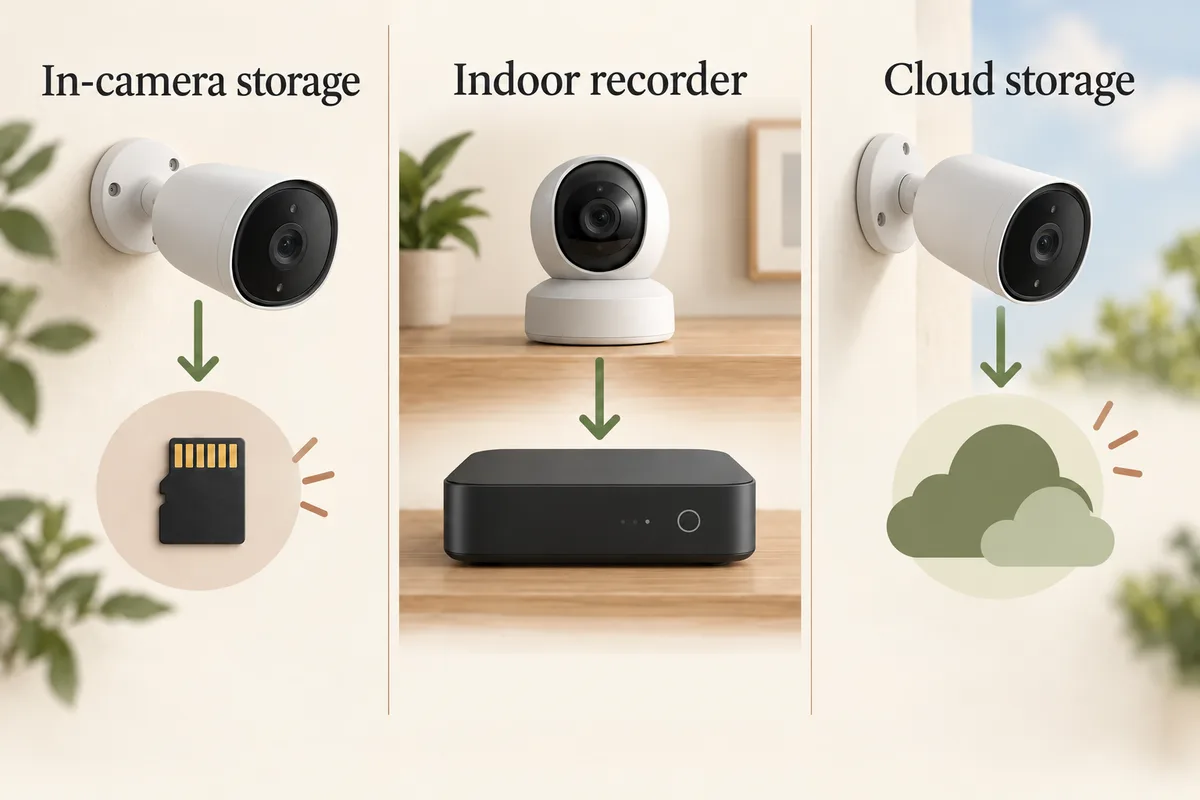
A card in the outdoor doorbell is simple, but footage kept only there may leave with the device if it is removed. An indoor recording location changes that physical risk. It does not mean every indoor chime records video: some chimes only make a sound. Check the model's storage instructions and the component that actually holds the card.
Also check how you retrieve a clip. Can you browse the card from the app, export a file and preserve it before the storage loops? Does remote playback require the home internet connection? “Local storage” describes the destination; it is not a promise that setup, notifications and remote viewing all work offline.
Choose event recording or a continuous timeline
Event recording saves clips when the camera detects activity. Continuous recording keeps the time between detections too. That difference matters if you want to see how someone approached before an alert, or review a time when the camera did not classify an event.
Do not infer the mode from the presence of wires. Some battery products use the wiring mainly to maintain their battery. For D225, use the manufacturer's hardwired Always-On requirements; for G410, check its wired recording conditions. Neither is a reason to assume the same feature works on battery alone. The continuous-recording checklist explains what to verify.
Count the complete entrance cost
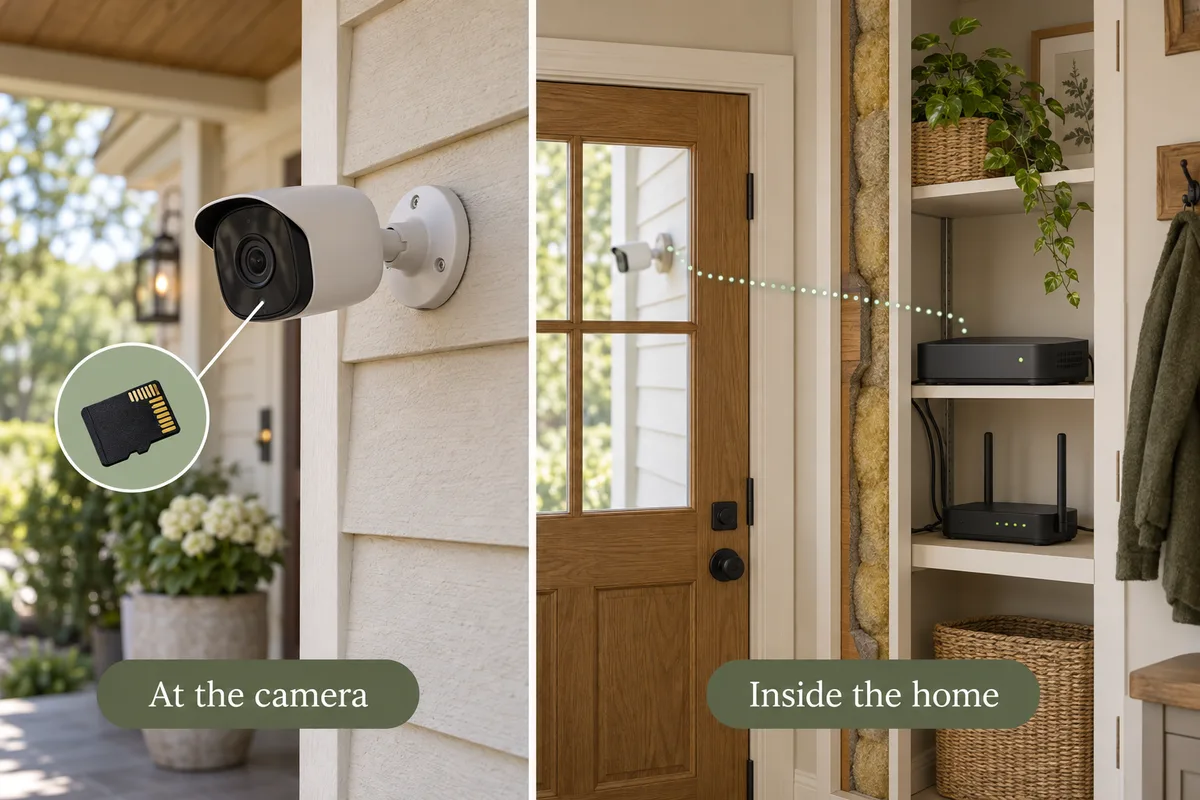
- Doorbell and storage: confirm whether the card, chime-hub or recorder is included.
- Power: check the exact transformer requirements and whether an installation change is needed.
- Chime: verify the existing chime type, required controller and any bypass restrictions.
- Mount: add an angle wedge or an exact-model no-drill bracket only if needed.
- Optional services: separate local recording from paid cloud history, advanced detection or Apple iCloud+.
A useful three-year comparison is hardware plus installation and storage, plus 36 months of services you actually choose. Do not insert a zero for an unknown price or transfer a US price into a Canadian total. Paid cloud backup can be a deliberate choice; it should not appear as a hidden condition for the local recording you wanted.
Test the free path before the trial ends
- Install compatible storage and enable its recording settings.
- Walk toward the entrance, press the button and leave a package in the normal location.
- Find the clips in the local recording view, not just a trial cloud feed.
- Export a short clip and check its timestamp and sound setting.
- Confirm what changes when optional cloud features are disabled or the trial expires.
If you rent, use the no-drill installation guide before choosing hardware. If the entrance also needs a lock, verify Ring integration separately from video recording. A local-recording doorbell does not establish lock compatibility.
Related questions
Do I need Wi-Fi for a subscription-free doorbell?
Most connected doorbells still need the specified home network for setup, notifications and remote access. Local recording and internet-dependent functions are separate; check the exact model and test the failure behavior.
Does no subscription mean every feature is free?
No. Local recordings may be free while cloud backup or additional detection features cost extra. Compare the capabilities you need after any introductory trial.
Can a battery doorbell record continuously when wired?
Only when its manufacturer supports that mode with the required installation. D225 and G410 have specific wired-mode conditions. Adding charging wires is not a universal continuous-recording upgrade.
Can I record without paying for iCloud+?
Some compatible doorbells provide local storage independently of Apple recording. HomeKit Secure Video recordings in iCloud require an eligible iCloud+ plan and home hub; check that route separately.
MAKE IT FIT YOUR HOME
Choose your next step
Use the conditions from this guide as a starting point. Your current list stays in place while you compare.
CHOOSE DEVICES
One doorbell, no recording subscription
Compare one doorbell with local recording. Choose battery or wired power to match your entrance.
Compare in My list → Plan positions firstCHOOSE DEVICES
One battery doorbell, no drilling
Compare battery doorbells and check an exact-model no-drill bracket separately.
Compare in My list → Plan positions firstCHOOSE DEVICES
One wired doorbell, no recording subscription
Compare doorbells that use existing doorbell wiring and record locally. Transformer and chime requirements remain model-specific checks.
Compare in My list → Plan positions firstChoose a bundle or individual devices, then add them to My list for compatibility checks and store links. A selected quantity is not a guarantee of coverage.
Sources & checks
- Tapo D225: local storage and Always-On conditions
- Wyze Video Doorbell v2: storage, power and chime requirements
- Aqara G410: local storage and wired recording
- Aqara G410: indoor chime-hub storage
Guide checked 2026-09-16. Product prices and specifications have their own checked dates on each model page.