Answers · guide reviewed 2026-09-16 · updated 2026-09-17
Which outdoor cameras work with HomeKit Secure Video?
Choose an outdoor camera whose exact model explicitly supports Apple Home and, if you want recordings in iCloud, HomeKit Secure Video. Aqara G100 and Camera Hub G5 Pro are two documented examples with different power and networking arrangements. Check outdoor operating limits separately. Apple recording requires an eligible iCloud+ plan and a supported home hub; a generic smart-home or Matter badge is not sufficient evidence of that recording capability.
By the How Many Cameras editorial team · Manufacturer specifications and planning estimates; not hands-on product tests.
Start with explicit model support
These are examples with manufacturer documentation, not a complete market ranking. We have not tested their image quality or integration reliability. Match the exact regional version and power arrangement before comparing price.
| Model | Documented route | What to check |
|---|---|---|
| Aqara Camera G100 | Aqara lists Apple Home and HomeKit Secure Video support, 2.4 GHz Wi-Fi and plug-in power. | Outdoor power installation, the specified operating range and the features available in each app. |
| Aqara Camera Hub G5 Pro | Aqara documents HomeKit Secure Video and separate PoE and Wi-Fi versions. | Buy the intended version. The camera's own hub capabilities do not replace Apple's recording requirements. |
The G100 manufacturer listing also distinguishes its higher native resolution from the documented 1080p HomeKit Secure Video route. Check the current requirements rather than assuming that a number on the camera box is the resolution recorded in every service.
Separate live view, recording and automations
Apple's documentation distinguishes Home-compatible camera streaming from Secure Video features. Decide whether you need a live view in the Home app, a searchable event history, notifications, or another automation. Confirm each function in official instructions for that model and software version.
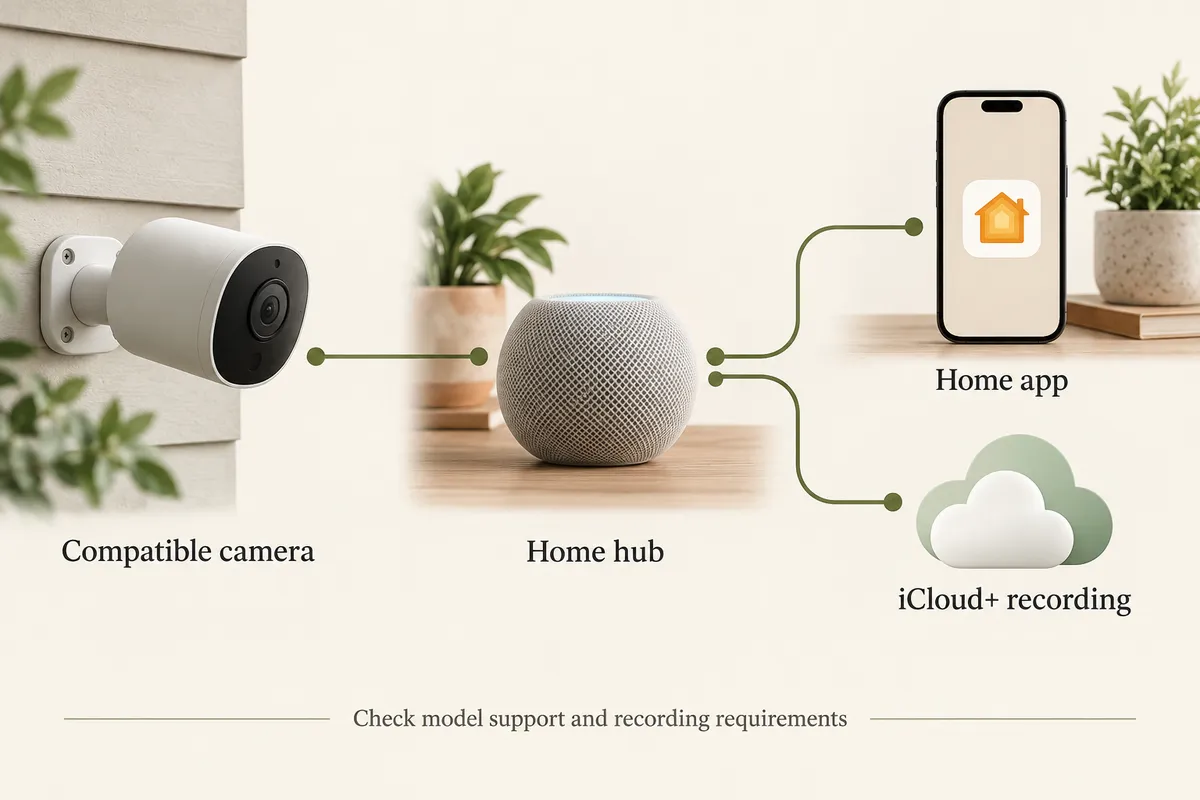
Compatibility labels can refer to different parts of a device. A camera that also acts as a smart-home bridge may advertise supported accessories, network protocols and video features together. Look for explicit camera and recording support rather than transferring a badge from one capability to another.
Check the home hub and iCloud+ plan
Apple requires a home hub for HomeKit Secure Video. Its current home-hub setup instructions cover HomePod, HomePod mini and Apple TV; check the supported model and software requirements. Do not assume any speaker, manufacturer's camera hub or old tablet can take that role.
Apple's published recording allowances are one camera with the 50 GB iCloud+ plan, up to five with 200 GB, and unlimited cameras with 2 TB or larger plans. Apple describes a ten-day activity history and says recordings do not count against iCloud storage. These are service conditions, not a promise of uninterrupted continuous video. Check your current account and region before choosing a plan.
Keep local storage separate from Apple recording
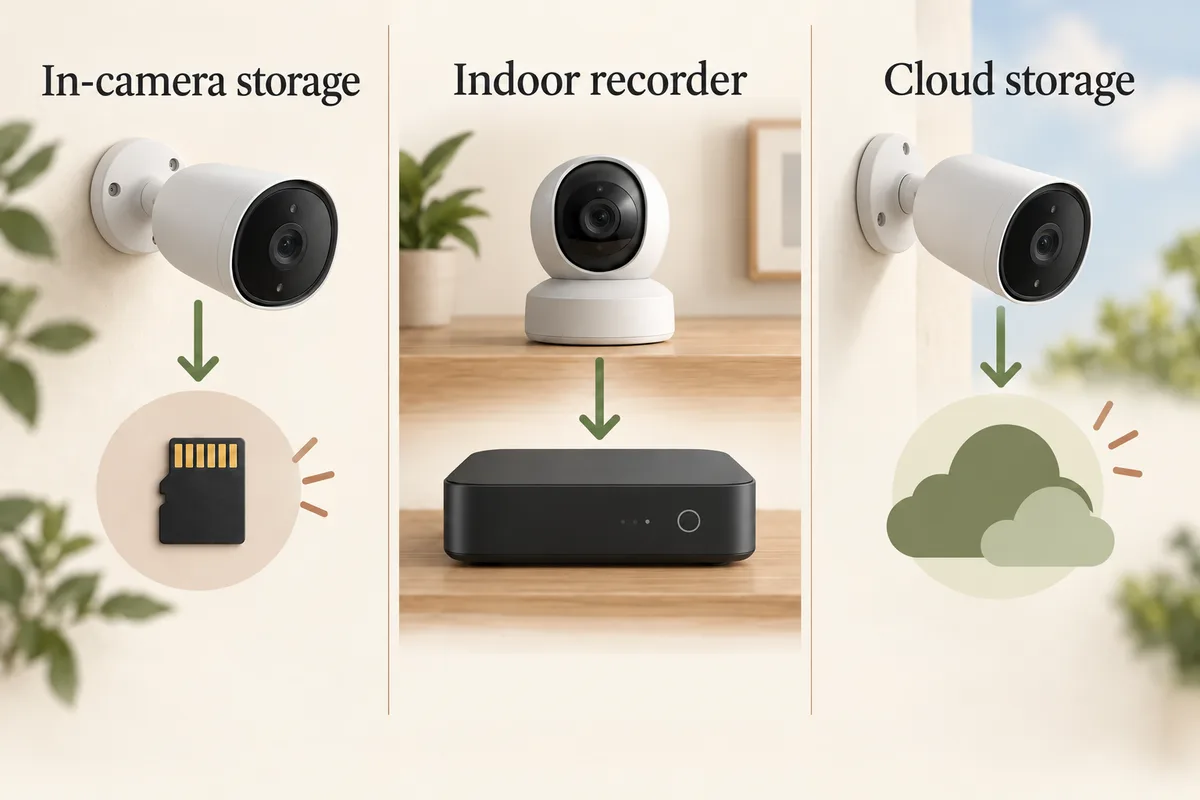
A camera's memory card may store footage in the manufacturer's app while HomeKit Secure Video provides a separate recording experience. Check where a clip is saved, which app retrieves it and what happens when storage fills or a service is unavailable. The existence of a card does not by itself mean those files appear in Apple's recording timeline.
If the main goal is to avoid every recurring payment, compare the local-recording options before choosing iCloud recording. If you already pay for an eligible plan, the additional cost may differ, but the plan and hub requirements still exist.
Check the outdoor installation independently
Make a route for power and a reliable network connection. “Wi-Fi” does not mean a camera runs on a battery, and a PoE version is not automatically the same hardware as its Wi-Fi counterpart. The wiring comparison makes those differences explicit.
Also check the camera's specified temperatures, mounting orientation and power-connection requirements. The cold-weather guide compares two manufacturer temperature ratings that differ substantially despite both cameras being sold for outdoor use. An integration match cannot make an unsuitable installation suitable.
Test the functions you bought it for
- Set up the camera and home hub using the official instructions.
- Confirm live view in the Home app.
- Configure the desired recording behavior, including home and away settings where available.
- Trigger a test event and find the resulting recording in the intended app.
- Check who can view streams or recordings in the home's sharing settings.
- Export a test clip and compare the local-storage route if you also use one.
If an action only works inside the manufacturer's app, record that limitation in your buying decision. For an entrance rather than a general outdoor view, the doorbell guide includes an Apple-compatible model and explains the separate local-recording option. For Ring equipment, use the Ring-specific guide; compatibility in one ecosystem is not evidence for another.
Related questions
Does HomeKit support every Wi-Fi outdoor camera?
No. Check explicit support for the exact model. Wi-Fi describes networking; it does not establish Apple Home compatibility.
Is HomeKit Secure Video free?
Recording requires an eligible iCloud+ subscription and home hub. If you already have them, your additional cost may be different, but the requirements still apply.
Does a Matter badge guarantee Secure Video?
No. Verify the specific camera features and Apple recording support. A badge can describe other capabilities or connected accessories.
Do local memory-card recordings appear automatically in Apple Home?
Do not assume that. The local recording route and Apple recording service can have different interfaces and settings; check the model instructions.
Is the camera manufacturer’s hub an Apple home hub?
Not automatically. Apple specifies the supported home-hub devices for its recording setup. Check that role separately from a camera or accessory hub.
MAKE IT FIT YOUR HOME
Choose your next step
Use the conditions from this guide as a starting point. Your current list stays in place while you compare.
CHOOSE DEVICES
HomeKit Secure Video
Compare one plug-in camera with explicit Secure Video support. A supported home hub and iCloud+ are additional requirements.
Compare in My list → Plan positions firstCHOOSE DEVICES
Apple Home with local recording
Compare one plug-in Apple Home camera with local recording and no required camera recording plan.
Compare in My list → Plan positions firstChoose a bundle or individual devices, then add them to My list for compatibility checks and store links. A selected quantity is not a guarantee of coverage.
Sources & checks
- Apple: recording features and iCloud+ camera allowances
- Apple: Secure Video setup requires a home hub
- Apple: supported home-hub setup
- Aqara G100: explicit integration and recording information
- Aqara G5 Pro: exact versions and features
- Aqara G5 Pro: version-specific power and environmental specifications
- Aqara: G5 Pro HomeKit Secure Video support
Guide checked 2026-09-16. Product prices and specifications have their own checked dates on each model page.