Answers · guide reviewed 2026-09-16 · updated 2026-09-29
Wired vs wireless security cameras: which fits your home?
Choose a security camera by separating three decisions: how it gets power, how it sends video and where it records. A plug-in Wi-Fi camera is wired for power but wireless for data; a battery camera still needs charging or a verified solar panel; PoE carries power and video on one Ethernet cable. In our catalog the cheapest options are plug-in Wi-Fi cameras from $39.99, PoE cameras from $99.99, battery Wi-Fi cameras from $64.99, hardwired floodlight cameras from $149.98, so the price gap is smaller than the installation gap: decide what you can install at each mount first.
By the How Many Cameras editorial team · Manufacturer specifications and planning estimates; not hands-on product tests.
Four setups from our catalog
Model counts and price ranges come from recorded US list prices with a checked date; a model with more than one power version appears in each setup it supports. “Records without a plan” counts models with an explicit local-recording entry.
| Setup | Power | Data | Models | Records without a plan | Price range | Start here |
|---|---|---|---|---|---|---|
| Battery Wi-Fi camera | Battery; recharge or a verified solar panel | Wi-Fi | 14 | 6 of 14 | $64.99 – $199.99 | Compare battery cameras |
| Plug-in Wi-Fi camera | Outdoor outlet and adapter | Wi-Fi | 8 | 5 of 8 | $39.99 – $199.99 | Compare plug-in cameras |
| Hardwired floodlight camera | Fixture circuit | Wi-Fi, model-specific | 7 | 4 of 7 | $149.98 – $199.99 | Compare floodlight cameras |
| PoE camera | Ethernet from a PoE switch, injector or recorder | Ethernet | 3 | 2 of 3 | $99.99 – $119.99 | Compare wired cameras |
Each link opens My list with that power choice already applied, so every setup it shows can actually be installed the way this row assumes.
“Wireless” does not tell you the whole installation
A product label may describe the network connection while saying little about its power cable. Before comparing cameras, write down the connection you can provide at each mount. An outlet beside the garage, a front-door transformer and an Ethernet route are different starting points.
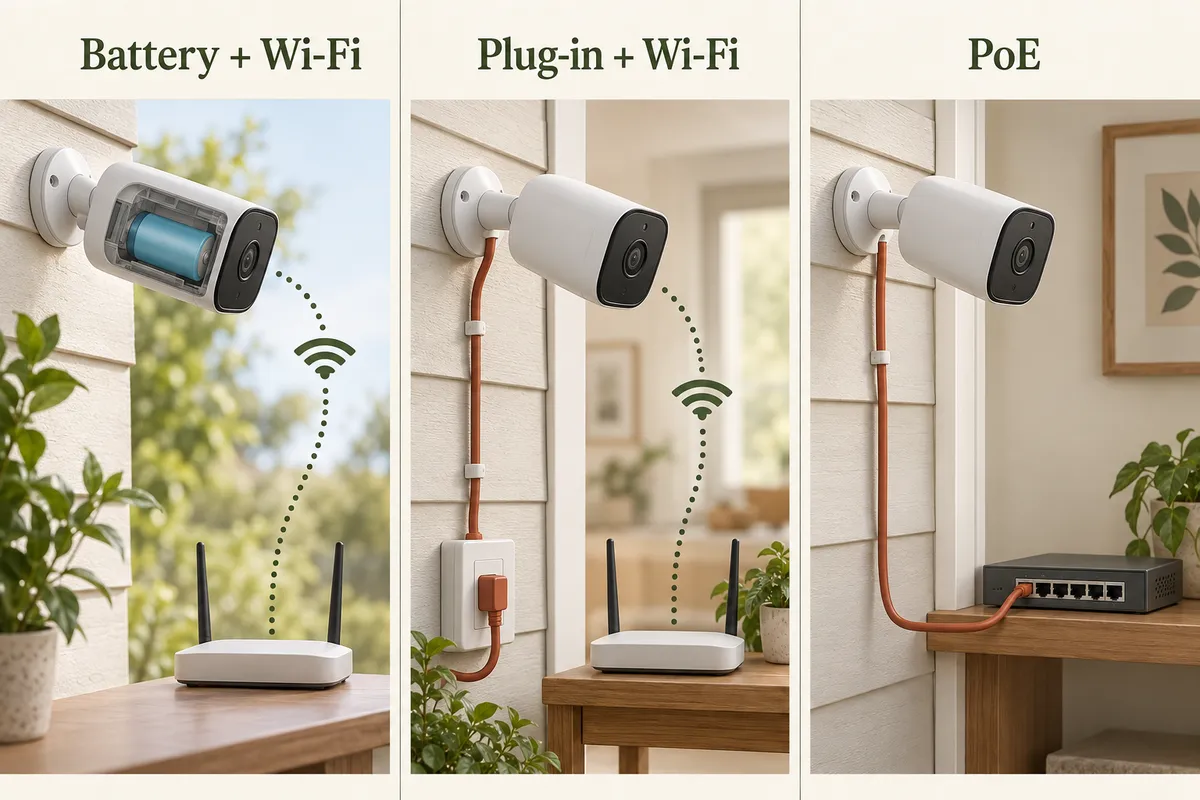
| Setup | Power | Data | Main installation question |
|---|---|---|---|
| Battery Wi-Fi camera | Stored battery energy; recharge or approved solar charging | Wireless connection | Can you reach it for maintenance and keep a reliable network link? |
| Plug-in Wi-Fi camera | Compatible adapter and outlet | Wireless connection | Can the entire power connection be installed as specified outdoors? |
| Hardwired floodlight camera | Compatible fixed electrical supply | Often Wi-Fi; check the model | Is the location and circuit suitable for the required installation? |
| PoE camera | Compatible PoE switch, injector or recorder | Ethernet | Can you install the cable route and power the upstream equipment? |
Choose by location, not for the whole house at once
A rented entrance: a battery doorbell may avoid new power wiring, but mounting permission and bracket fit remain separate checks. Start with the no-drill guide.
A busy driveway: if you want a continuous timeline, start with a model and power arrangement explicitly supporting it. Then compare a plug-in Wi-Fi camera with a wired network option. Do not select battery solely because it is easier to mount and discover later that it records only events.
A distant garage: test the network at the mount. A battery solves neither a weak Wi-Fi link nor an unsuitable charging location. The garage connection guide compares extender placement and wired alternatives.
A sunny side gate: solar charging may reduce trips to recharge a battery, provided the compatible panel receives suitable light. It is still a battery energy budget, and the camera and panel need not be mounted in the same place.
Recording is a separate buying decision
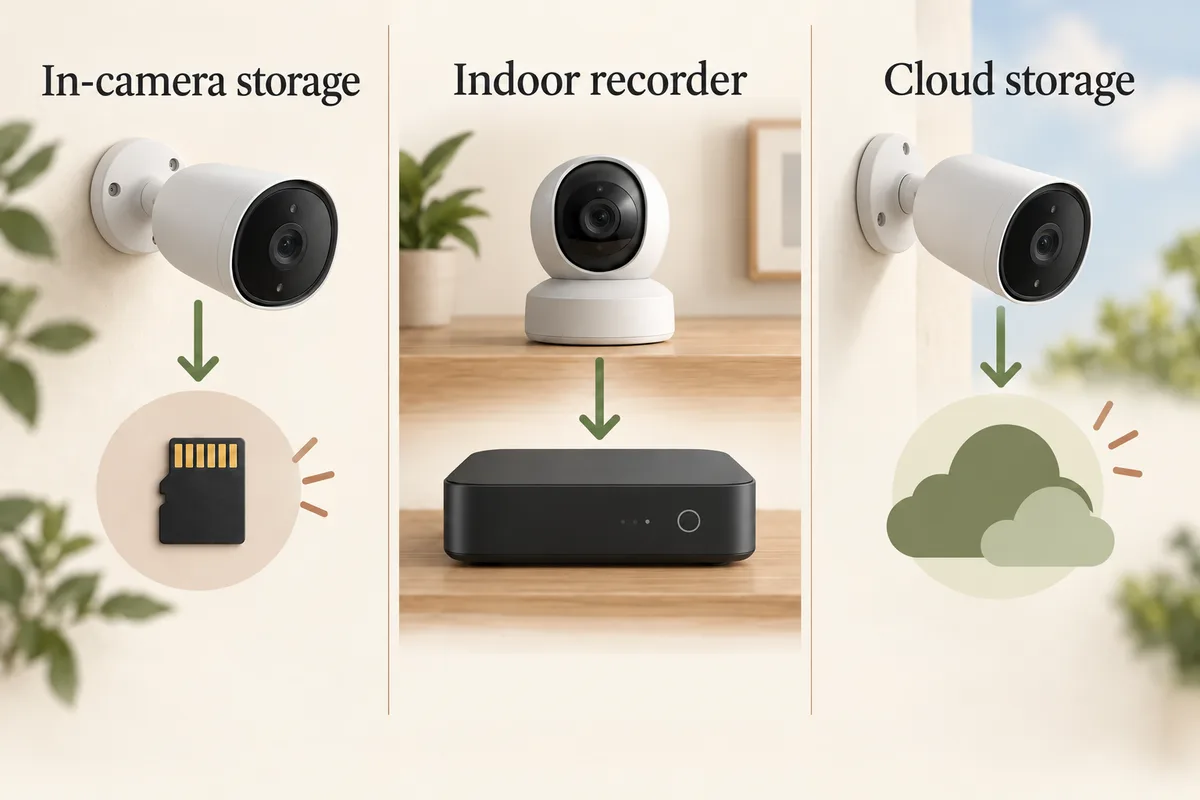
Check whether the exact camera records events, a continuous timeline or another capture mode. Also check the destination: memory card, a supported hub or recorder, or the cloud. Neither an Ethernet cable nor a wall adapter proves that the requested mode exists.
For a concrete example, Wyze documents microSD continuous recording for Cam v4. By contrast, the SoloCam S340 FAQ says that model does not support 24/7 recording, including with HomeBase 3. Treat those as two model-specific facts, not rules for every product in either brand.
Compare cost over the installation's life
A battery camera can have a low installation burden while requiring periodic access. A PoE installation can require more cable work while avoiding routine camera-battery charging. Existing infrastructure can reverse the comparison: a usable outlet or cable route changes the project.
- Include the camera, appropriate mount, power adapter or PoE equipment.
- Add the cable route and installation work that your property needs.
- Include storage, required hub or recorder and chosen subscription.
- Consider access for battery charging, cleaning and equipment replacement.
- Compare actual local offers in US dollars or Canadian dollars, without converting missing prices.
Know what an outage removes
Loss of household power, loss of Wi-Fi and loss of internet are different failures. Our model-specific outage matrix separates recording, local replay, remote access and push alerts, with matching Planner entries. A charged battery may keep a camera powered while its router is off. A PoE camera depends on its switch or recorder's power. Local recording might continue in one failure mode while remote alerts stop; confirm and test the exact system.
A wired network avoids relying on a radio link for that camera's data, but it does not make the entire installation failure-proof. If outage behavior matters, review the camera, recorder, router and any backup power together.
Build a mixed system when it fits
You do not need the same power method at every position. A wired driveway camera and a battery doorbell can serve different jobs. First use the camera-count guide to decide which views matter. Then assign the feasible power and data options, and check recording costs before buying.
Related questions
Does a wireless security camera need an outlet?
Some do. Wireless often describes Wi-Fi data; plug-in models still need power wiring. Battery and solar-charged models have different maintenance and installation requirements.
Does PoE mean I need a recorder?
PoE describes power over Ethernet. The supported recording destination depends on the camera and system; check whether it uses a memory card, compatible recorder or another service.
Can a battery camera record 24/7?
Check the exact model and operating mode. Some products advertise other capture modes or require external power. Do not treat every battery camera, or every 24/7 marketing phrase, as continuous full-motion recording.
Are wired cameras subscription-free?
Not automatically. Power and data wiring do not determine cloud or local-recording fees. Verify the storage path and desired features for the exact model.
MAKE IT FIT YOUR HOME
Choose your next step
Use the conditions from this guide as a starting point. Your current list stays in place while you compare.
CHOOSE DEVICES
I can run new cables
Compare cameras that suit new power or network wiring. Continuous recording still needs a model-specific check.
Compare in My list → Plan positions firstCHOOSE DEVICES
I have an outdoor outlet
Compare plug-in cameras, then check the network and weatherproof power connection.
Compare in My list → Plan positions firstCHOOSE DEVICES
I need battery power
Compare battery cameras. Solar is optional; it is not silently added as a requirement.
Compare in My list → Plan positions firstCHOOSE DEVICES
Hardwired floodlight cameras
Compare the documented floodlight cameras. Each needs a suitable fixture circuit; recording plans differ by model.
Compare in My list → Plan positions firstChoose a bundle or individual devices, then add them to My list for compatibility checks and store links. A selected quantity is not a guarantee of coverage.
Sources & checks
- Verkada: power and network terminology
- ADT: installation tradeoffs
- Wyze Cam v4: local continuous recording
- SoloCam S340: model-specific recording limits
Guide checked 2026-09-16. Product prices and specifications have their own checked dates on each model page.