Answers · guide reviewed 2026-09-16 · updated 2026-09-17
How many security cameras do I need?
Our placement templates need a video doorbell and no extra camera for a condo or apartment, 2 for a townhouse, 2 for a house with attached garage, 3 for a house without a garage, 4 for a house with garage and side gate and 4 plus a video doorbell for a house with side driveway and detached garage. Count separate approaches, not rooms: every entrance that a wall or corner hides from the other cameras needs its own view, and a video doorbell counts as the front-door view.
By the How Many Cameras editorial team · Manufacturer specifications and planning estimates; not hands-on product tests.
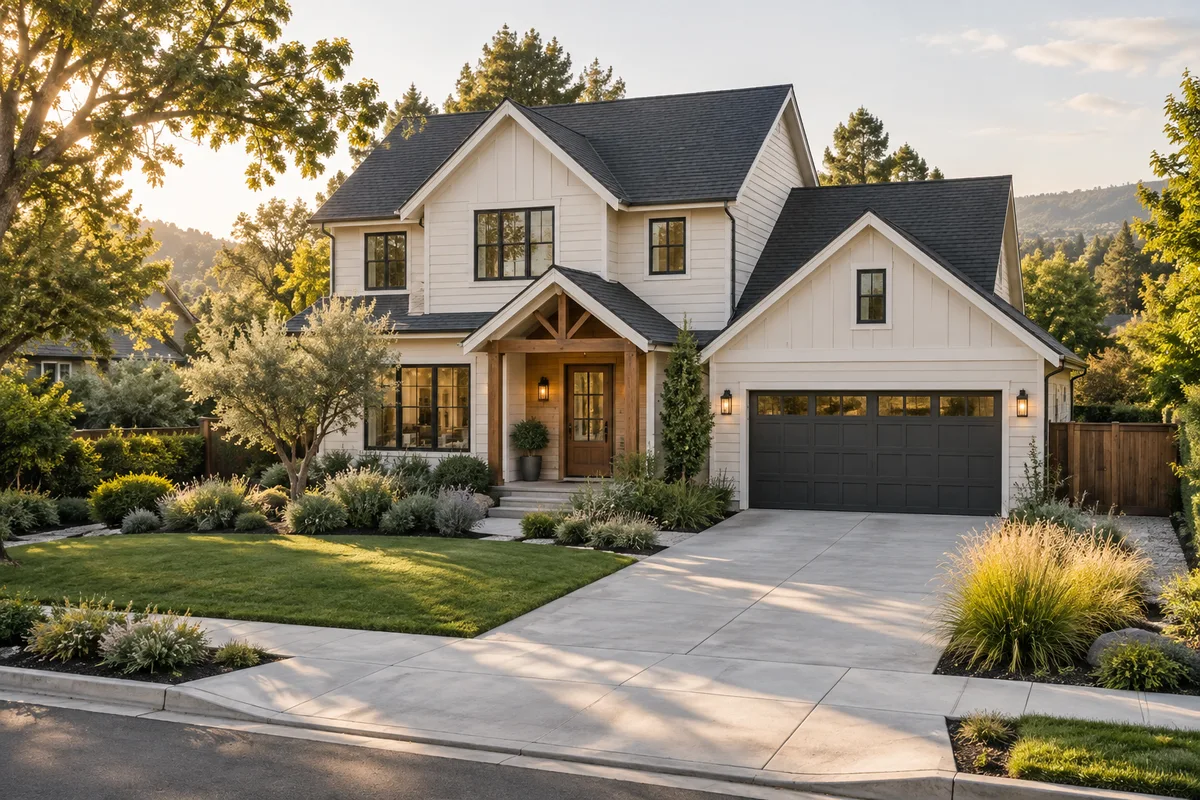
Camera counts by home layout
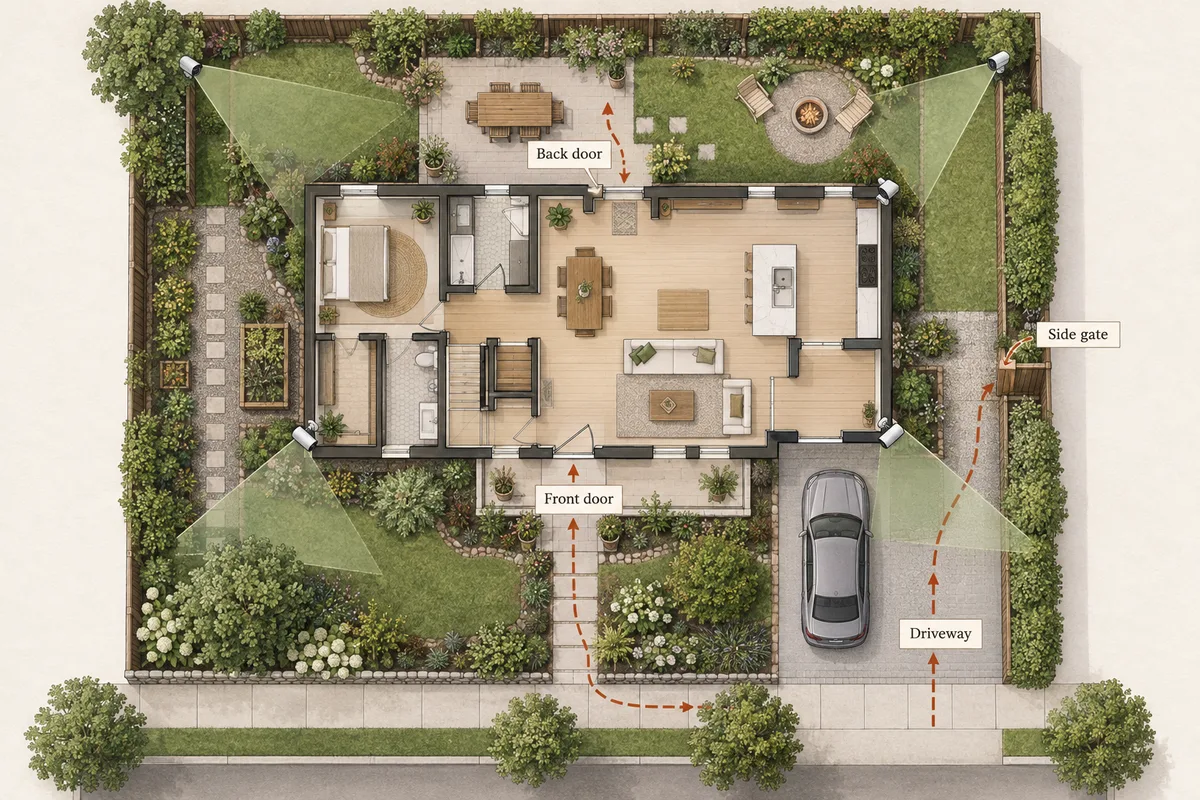
These are the positions our placement sketch needs to cover each template's required areas with the standard view it draws. They are starting points for that layout, not a kit size: change the required areas and the count changes with them.
| Home layout | Required views | Outdoor cameras | Doorbell | Start from this assumption |
|---|---|---|---|---|
| Condo or apartment | Front door (hallway) | 0 | 1 | Open this plan · Shop a doorbell |
| Townhouse | Front door, Back patio | 2 | 0 | Open this plan · Shop 2 cameras |
| House with attached garage | Front door, Driveway | 2 | 0 | Open this plan · Shop 2 cameras |
| House without a garage | Front door, Backyard | 3 | 0 | Open this plan · Shop 3 cameras |
| House with garage and side gate | Front door, Driveway, Side gate | 4 | 0 | Open this plan · Shop 4 cameras |
| House with side driveway and detached garage | Front door, Side driveway, Backyard | 4 | 1 | Open this plan · Shop 4 cameras |
Every row opens the planner with that layout and those areas already selected, or My list with that quantity as the shopping target. Adjust either before buying.
A quick camera-count worksheet
Write down what you want to see after an alert: a visitor arriving, a package being placed, someone entering the driveway, or a gate opening. Mark each event on a rough plan. If a wall or corner hides one from the other, treat them as separate views until you have checked the camera angle.
| Area | Count a separate view when… | Check before combining |
|---|---|---|
| Front entrance | You need to see visitors and deliveries. | Can the doorbell see the doorstep as well as the approach? |
| Driveway or garage | Vehicles sit outside the entrance camera's useful view. | Is the far vehicle visible with enough detail at night? |
| Rear entrance or patio | The front camera cannot see around the building. | Do furniture, fences or an extension block the route? |
| Side gate | People can reach the back without crossing another view. | Will the open gate or a parked vehicle block the lens? |
| Detached building | It has its own entrance or equipment you want to observe. | Can you provide power, a suitable mount and a connection? |
Seeing an area is different from seeing useful detail
A wide view can tell you that a vehicle entered the driveway while showing too little detail at the far end. Before reducing the camera count, decide what that position must do. Seeing activity, following a route and getting a closer entrance view are different jobs.
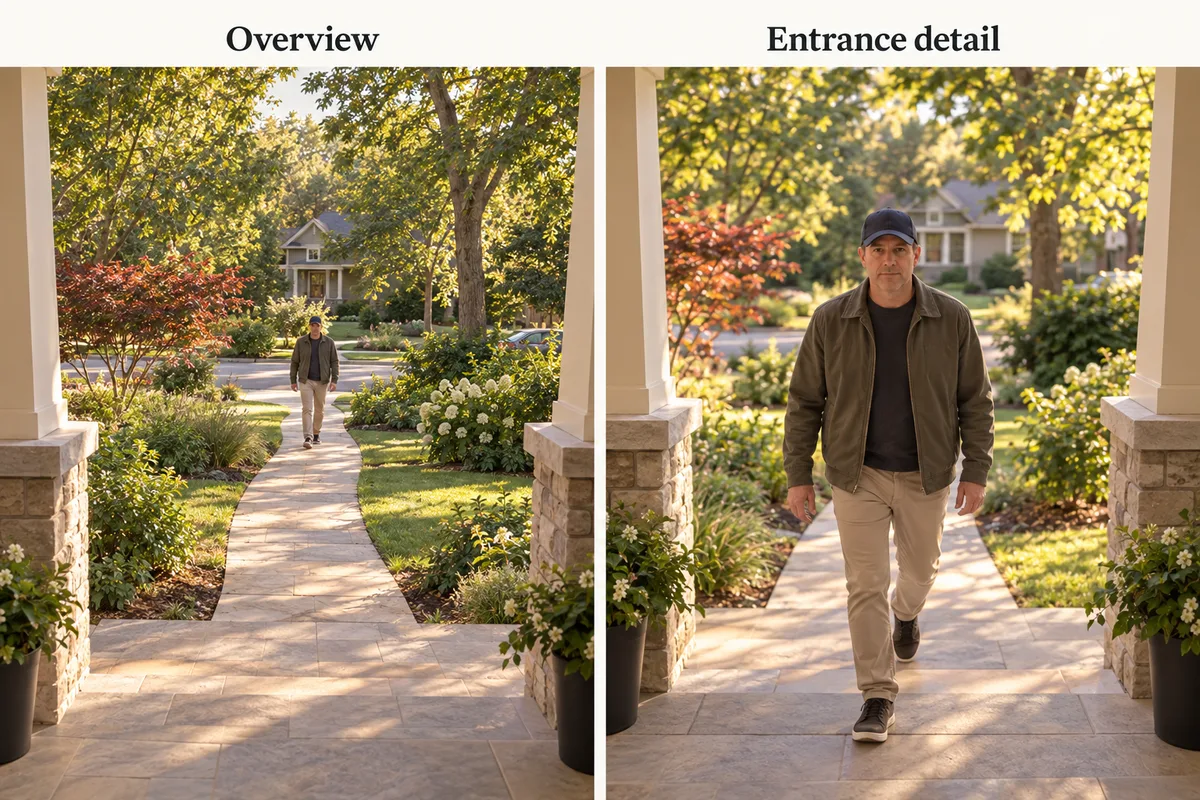
Adding resolution does not remove a wall, improve the mounting angle or guarantee useful night footage. Similarly, a camera that rotates between two areas may miss activity in the direction it is not watching. Check the exact model and test both routes before deciding that one device can do two jobs.
Buy the first phase around your priorities
Start with the entrances and events you marked as essential. Keep optional views—such as a distant fence line—separate. Then compare the cost of cameras, mounts, storage, a hub if required, and any recording subscription. Our no-subscription guide explains why a cheap camera and a cheap complete system can be different things.
Power and connectivity can change the plan. A detached garage may need a different connection from a porch next to the router; see the garage Wi-Fi guide. A renter may have only one suitable no-drill position. Keep that constraint selected rather than counting cameras you cannot install.
Walk the routes before you order
- Stand near each proposed mount and photograph its view.
- Ask someone to walk the important routes while you check for obstructions.
- Repeat after dark with the lights you actually use.
- Check power, Wi-Fi and access for charging or maintenance.
- Adjust the camera placement tool, then compare devices for the positions that remain.
Before buying all positions at once, assign their power and network connections. A distant garage or busy driveway may need a different setup from a quiet gate; check the solar charging guide where new power wiring is impractical.
Related questions
Are two outdoor cameras enough?
They may cover two separate approaches, such as a front entrance and a rear door. They are not automatically enough for a driveway around a corner, a side gate or a detached garage. Check what is hidden from each proposed view.
Does a video doorbell count as one of my cameras?
Yes. Count it as a view of the entrance. Do not also count a nearby camera as another covered area unless it adds a different useful view, such as the driveway.
Should I put a camera on every side of the house?
Only if that side has an approach or area you need to observe. A blank inaccessible wall and a side gate are different priorities. Review sight lines before adding another device.
Can one pan-and-tilt camera replace two fixed cameras?
A moving lens can look in different directions over time, but that alone does not give simultaneous views. Check the exact device: some have additional fixed lenses. Use separate views when both areas must remain visible.
Can I add cameras later?
Yes, but check the capacity of the recorder or hub, Wi-Fi at each position, storage and subscription rules before buying the first kit. A spare mount is not the same as a supported extra camera.
MAKE IT FIT YOUR HOME
Choose your next step
Use the conditions from this guide as a starting point. Your current list stays in place while you compare.
PLAN THE POSITIONS
Single-family home
Start with a detached house. Choose the closest layout and confirm your entrances before choosing a kit.
Open prefilled planner →PLAN THE POSITIONS
Townhouse
Start with a townhouse and adjust the layout, shared walls and outdoor areas.
Open prefilled planner →PLAN THE POSITIONS
Apartment entrance
Start with a front-door-only apartment and no-drill mounting. Check permission and bracket fit.
Open prefilled planner →CHOOSE DEVICES
I already need 2 cameras
Compare two-camera purchase setups. This is a shopping target, not a coverage assessment.
Compare in My list → Plan positions firstCHOOSE DEVICES
I already need 3 cameras
Compare three-camera purchase setups. This is a shopping target, not a coverage assessment.
Compare in My list → Plan positions firstCHOOSE DEVICES
I already need 4 cameras
Compare four-camera purchase setups without repeating the placement steps.
Compare in My list → Plan positions firstChoose a bundle or individual devices, then add them to My list for compatibility checks and store links. A selected quantity is not a guarantee of coverage.
Sources & checks
- Our template geometry, coverage assumptions and limits
- Ring: factors to consider when choosing camera numbers
- aosu: planning around coverage zones and entrances
Guide checked 2026-09-16. Product prices and specifications have their own checked dates on each model page.