Answers · guide reviewed 2026-09-16 · updated 2026-09-17
Where should I place outdoor security cameras?
Give every separate approach its own camera: the front door, the driveway or garage, the rear door or patio, and a side gate when it reaches the back unseen. In our planning model a TP-Link Tapo C325WB ColorPro (106° lens, 2K) keeps a recognizable image to about 48.2 ft and a Reolink E1 Outdoor Pro (94°, 4K) to 60 ft, less at night, so mount each camera close to the route it watches and test the view in daylight and darkness before drilling.
By the How Many Cameras editorial team · Manufacturer specifications and planning estimates; not hands-on product tests.
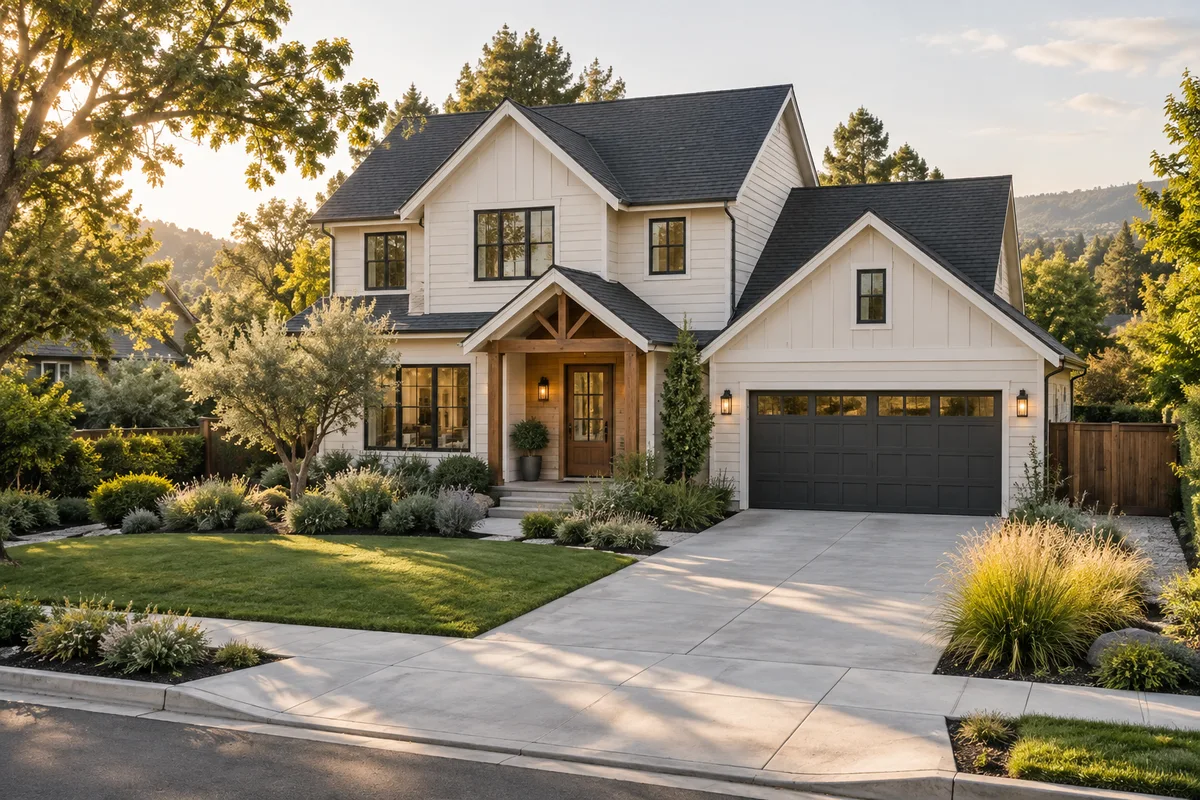
Where to put cameras around the home
| Position | Useful view | Common problem to test | Start a plan with this view |
|---|---|---|---|
| Front door | The visitor at the door and the approach; a doorbell or a camera above the door. | A recessed doorway or column hides someone arriving from the side. | Open prefilled planner |
| Driveway / attached garage | Vehicles, the garage door and the walk-up from the street. | A parked vehicle blocks the walkway, or the far vehicle is too small in frame. | Open prefilled planner |
| Rear door / patio | The approach to the door and the route in from the yard. | Furniture, an awning or an open door blocks the view. | Open prefilled planner |
| Side gate / passage | The route between front and back that no other camera sees. | The open gate or vegetation hides the narrow path. | Open prefilled planner |
| Detached garage / shed | Its entrance and the path leading to it. | Too far from the house camera; no power or network at the mount. | Open prefilled planner |
| Apartment or condo entrance | The hallway door only, usually a doorbell on a no-drill bracket. | Building rules and bracket fit on the frame. | Open prefilled planner |
Each link opens the planner with that area already marked as required on a matching home template. Rotate or move the position before you trust it.
How far a camera keeps a usable image
Our planner converts each model's published lens angle and resolution into a planning reach: the distance at which the picture still has 20 pixels per foot (a recognizable person) or 40 pixels per foot (a face you could identify), capped at 60 ft and by the motion sensor's range. Night reach uses the published night-vision or light range. These are model figures from our methodology, not footage tests; the real image also depends on angle, exposure and lighting.
| Model | Lens · resolution | Recognizable to | Identifiable to | At night |
|---|---|---|---|---|
| Reolink E1 Outdoor Pro | 94° · 4K | 60 ft | 44.8 ft | 40 ft |
| TP-Link Tapo C460 | 113° · 4K | 60 ft | 31.8 ft | 49 ft* |
| Reolink RLC-820A PoE Bullet | 87° · 4K | 60 ft | 50.6 ft | 60 ft |
| Wyze Cam v4 | 98.5° · 2.5K | 55.1 ft | 27.6 ft | 30 ft* |
| TP-Link Tapo C325WB ColorPro | 106° · 2K | 48.2 ft | 24.1 ft | 25 ft* |
| TP-Link Tapo C120 | 103° · 2K | 45.8 ft | 22.9 ft | 30 ft* |
| eufy SoloCam E42 | 130° · 4K | 40 ft | 22.4 ft | 30 ft* |
| Wyze Battery Cam Pro | 108° · 2.5K | 40 ft | 23.2 ft | 30 ft* |
* Uses an assumed sensor width or night range because the maker did not publish it; the model page lists each assumption.
Give each camera one clear job
“Watch the front” is hard to verify. “See a visitor approaching the door” is something you can test. Write one sentence for each position: the event you want to see, the route it happens on and the detail that matters. Then look for the spot that can do that job with the fewest obstructions.
Start on your own property and avoid unnecessary views into neighboring private areas. Recording and installation rules depend on the location and building; this guide is a placement checklist, not permission to record.
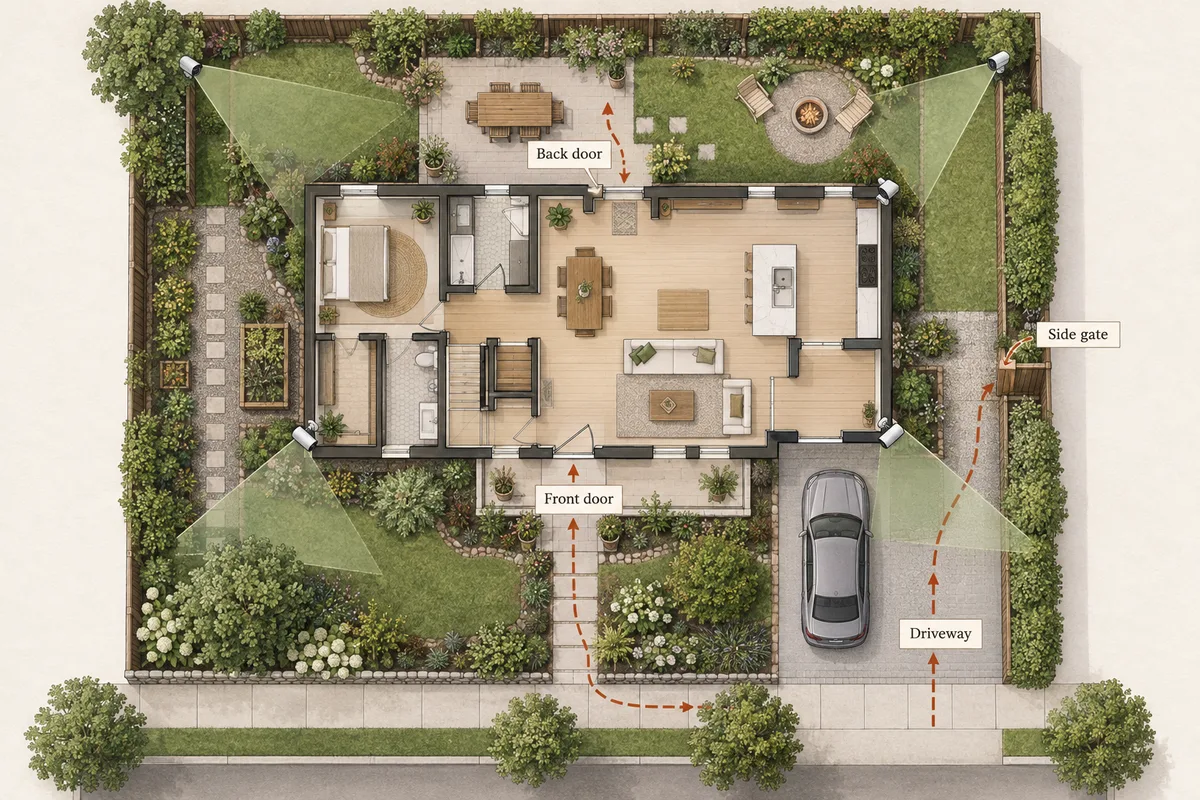
A corner can provide a useful view along a wall, but it does not automatically see around that wall. Try more than one position. Check what happens when the gate opens, bins are put out and a vehicle is parked where it normally sits.
Mounting height is model-specific. The lens, motion sensor and intended subject all matter. Use the manufacturer's instructions as your starting point and inspect a person walking toward the camera. Do not substitute a generic “mount it high” rule for that check.
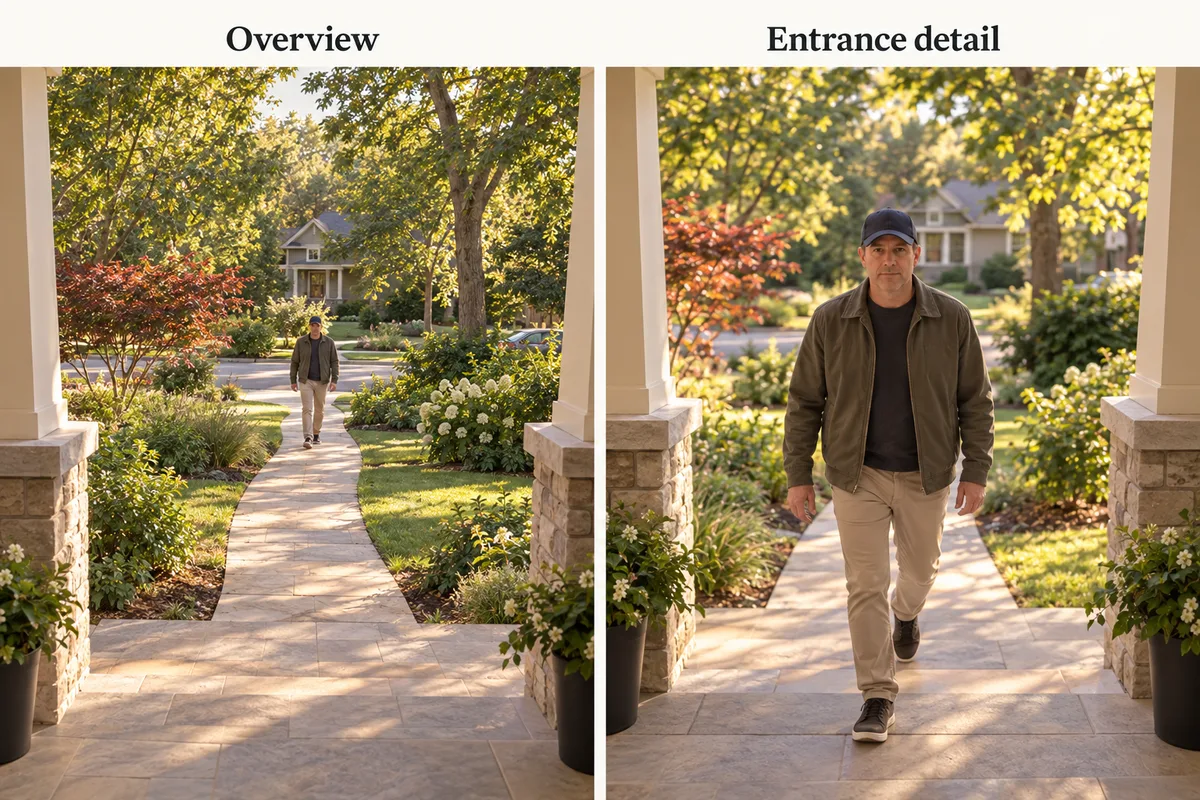
Check the night view separately
A position that looks clear in daylight can be affected by porch lighting, headlights or a bright wall close to the lens. Check the scene with the lighting you normally leave on. Look at the important route, not only the brightly lit doorway.
A wide view of a driveway is not a promise of readable license plates or identifiable faces. Those jobs depend on the exact camera, angle, distance, exposure and lighting. Keep expectations tied to what the installed system actually shows.
Match the position to a practical installation
- Power: distinguish a nearby outlet, doorbell wiring and a route for new wiring. Battery operation avoids a power cable but still needs a suitable mount and charging access.
- Connection: check the signal at the installed position with doors closed. For outbuildings, read our detached-garage Wi-Fi guide.
- No drilling: keep only positions with a suitable bracket or clamp for the exact camera and surface. Start from the apartment no-drill guide.
- Maintenance: leave a safe way to remove a battery, clean the lens or access storage. A position you cannot maintain may be a poor choice even if the view is good.
Turn the checklist into a plan
- Choose the closest house, townhouse or condo template in the security camera placement tool.
- Mark the areas that are essential and leave optional ones separate.
- Keep your actual installation constraints selected.
- Review and rotate proposed positions; remove views that add little value.
- Visit the property to check anything the template cannot represent.
If you are still deciding the system size, use the camera-count guide. Once the positions make sense, compare outdoor camera models and the equipment required to record their footage.
For a parking area, use the driveway night-view checklist. For a remote mount, test the garage Wi-Fi connection. A solar panel may need a different location from the camera to keep the useful view and suitable sunlight.
Related questions
What is the best height for an outdoor security camera?
Use the installation range specified for your exact model and check its live view. Mounting too high may show the top of a visitor's head; mounting too low can make the device easy to obstruct. There is no single height that fits every camera and entrance.
Can a doorbell camera cover my driveway?
It may show part of it, but check the angle, distance, parked vehicles and night view. Keep a separate driveway position when it adds a view the doorbell cannot provide.
Should the cameras overlap?
Some overlap can preserve a route between views. Avoid adding a second camera that only repeats the first while leaving another required entrance hidden. Check what new useful view each position adds.
Can I point an indoor camera through a window?
Glass, reflections and the camera's own infrared lighting can make night views unreliable. Check the exact model and test after dark; an indoor device behind glass should not be assumed equivalent to an outdoor installation.
Can the planner guarantee there are no blind spots?
No. It works with simplified home templates and illustrative views. Fences, plants, slopes, vehicles, lighting and exact camera performance need checking at the property.
MAKE IT FIT YOUR HOME
Choose your next step
Use the conditions from this guide as a starting point. Your current list stays in place while you compare.
PLAN THE POSITIONS
Single-family home
Start with a detached house. Choose the closest layout and confirm your entrances before choosing a kit.
Open prefilled planner →PLAN THE POSITIONS
Rear door or patio view
Start with a house layout where the front door and the rear approach are both required views.
Open prefilled planner →PLAN THE POSITIONS
Side gate or side passage view
Start with a house layout where the side gate is a required view alongside the front door.
Open prefilled planner →CHOOSE DEVICES
One driveway view
Compare a single camera for a view you have already checked. Power is your choice.
Compare in My list → Plan positions firstCHOOSE DEVICES
One camera at a detached garage
Compare one camera, or open a detached-garage layout to check the approach and connection.
Compare in My list → Plan positions firstPLAN THE POSITIONS
Apartment entrance
Start with a front-door-only apartment and no-drill mounting. Check permission and bracket fit.
Open prefilled planner →Choose a bundle or individual devices, then add them to My list for compatibility checks and store links. A selected quantity is not a guarantee of coverage.
Sources & checks
- How our illustrative coverage and obstacles work
- Abode: placement, sight lines and installation considerations
- Ring: choosing coverage areas, power and network capacity
Guide checked 2026-09-16. Product prices and specifications have their own checked dates on each model page.