Situations · guide reviewed 2026-09-16 · updated 2026-09-17
Where should I put a driveway camera after a car break-in?
Place a driveway camera where it can see the route to the car and the doors people can reach, then test that view at night with the car parked normally. A broad overview and a closer approach view do different jobs. Check lighting and recording mode before choosing a camera; resolution alone does not guarantee a readable face or license plate.
By the How Many Cameras editorial team · Manufacturer specifications and planning estimates; not hands-on product tests.
Map the incident you need to see
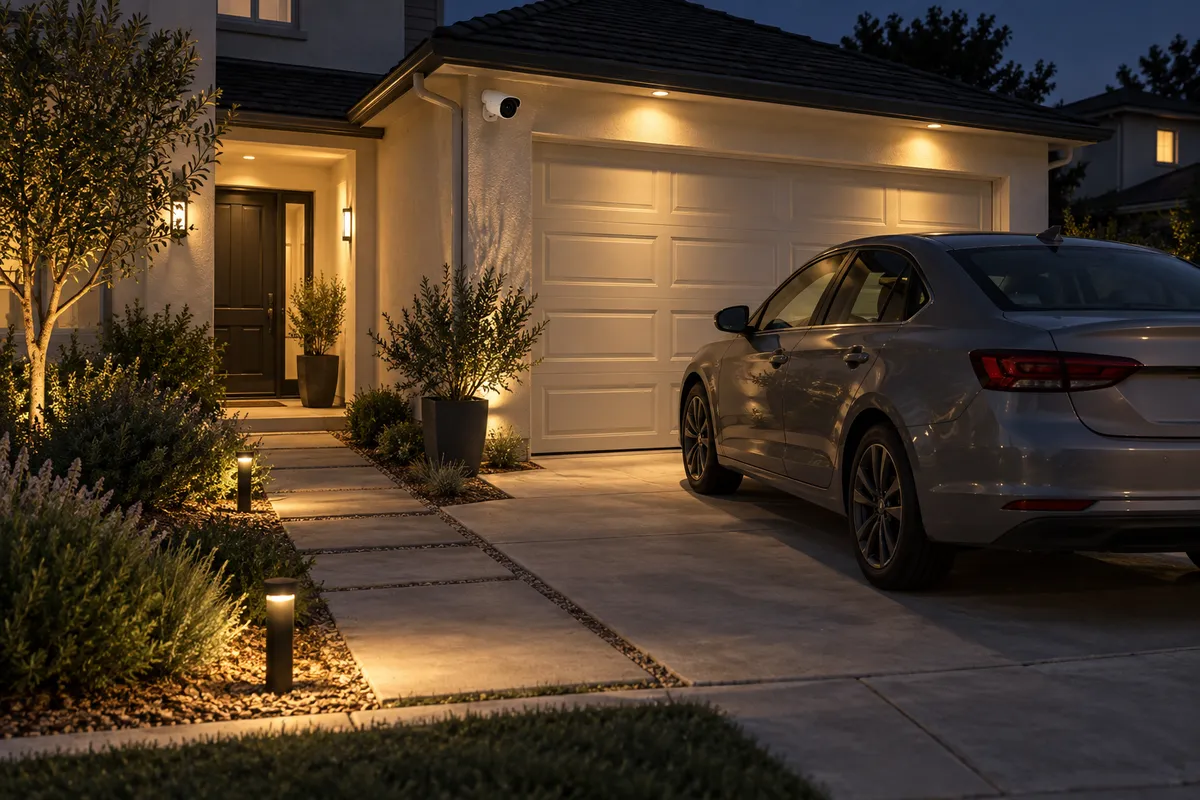
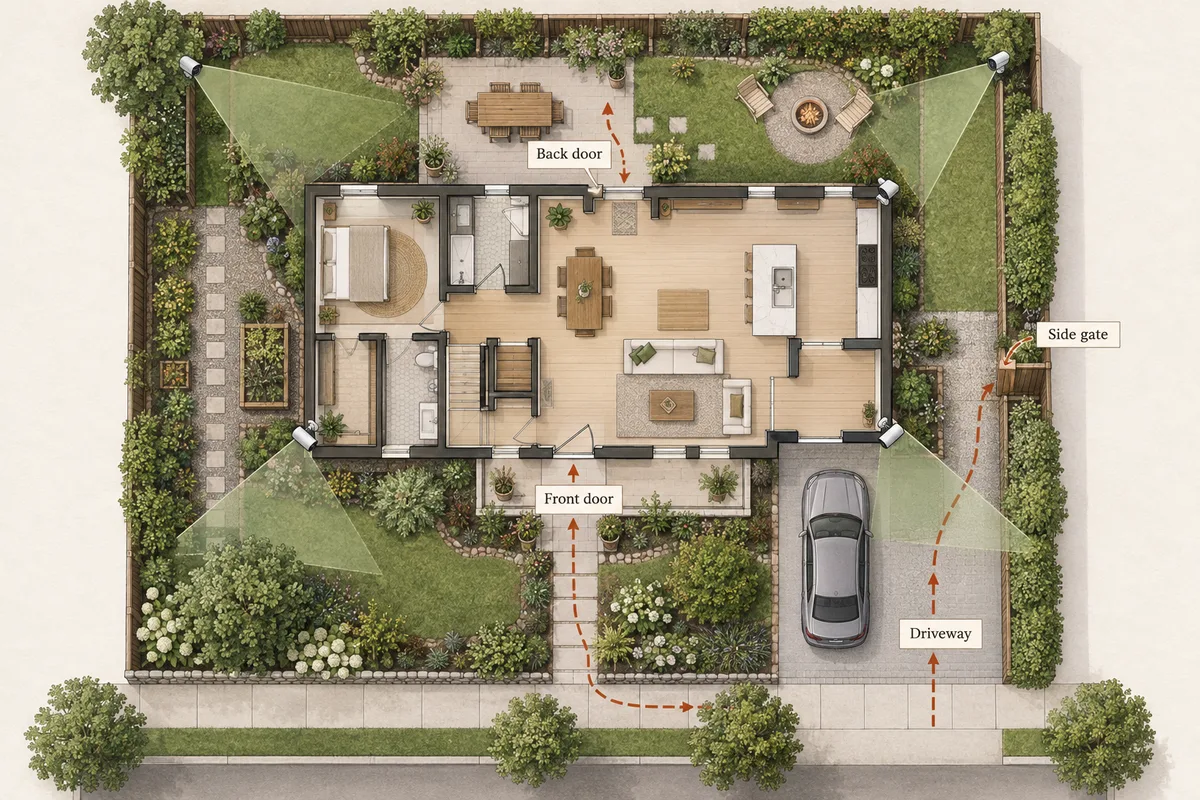
Start with the part of the driveway you actually use. A camera may show the entire paved area yet miss someone on the far side of a parked SUV. Mark the usual parking positions, the route from the sidewalk, the garage entrance and any side gate. Keep the parked cars in the scene when checking the view.
If you already have footage of an incident, preserve the original recording and note its timestamp before it is overwritten. For the new installation, separate the questions “did someone enter the driveway?” and “what happened beside the vehicle?” They may need different views.
Try these positions before drilling
| Position to assess | Useful view | Common blind spot |
|---|---|---|
| Garage corner facing the driveway | Approach and the near side of parked vehicles | The far side of a large vehicle or an approach beneath the mount |
| House corner facing the parking area | An alternative angle on car doors and the walkway | A porch post, hedge or another parked car |
| Existing driveway light location | A possible power location for an appropriate floodlight camera | The light's original location may not provide the required camera angle |
Use the manufacturer's mounting guidance for the selected camera. Higher placement can make equipment less accessible, but a steep downward view can lose useful facial detail. The useful angle and maintenance access both matter; there is no one mounting height that works for every driveway.
Check night footage with moving subjects
Test after dark with the lighting normally used at your home. Ask someone to walk the routes, open the relevant car doors and approach from the side. Review the saved recording, not only a still frame or live view. A scene that looks bright can still show motion blur or lose a subject in shadow.
Include headlights, porch lights and reflections from the car in the test. Avoid aiming through a nearby reflective surface or giving most of the image to an illuminated wall. If the camera has adjustable lighting or exposure settings, follow the model's guidance and compare recordings after each change.
A wide view and useful detail are different
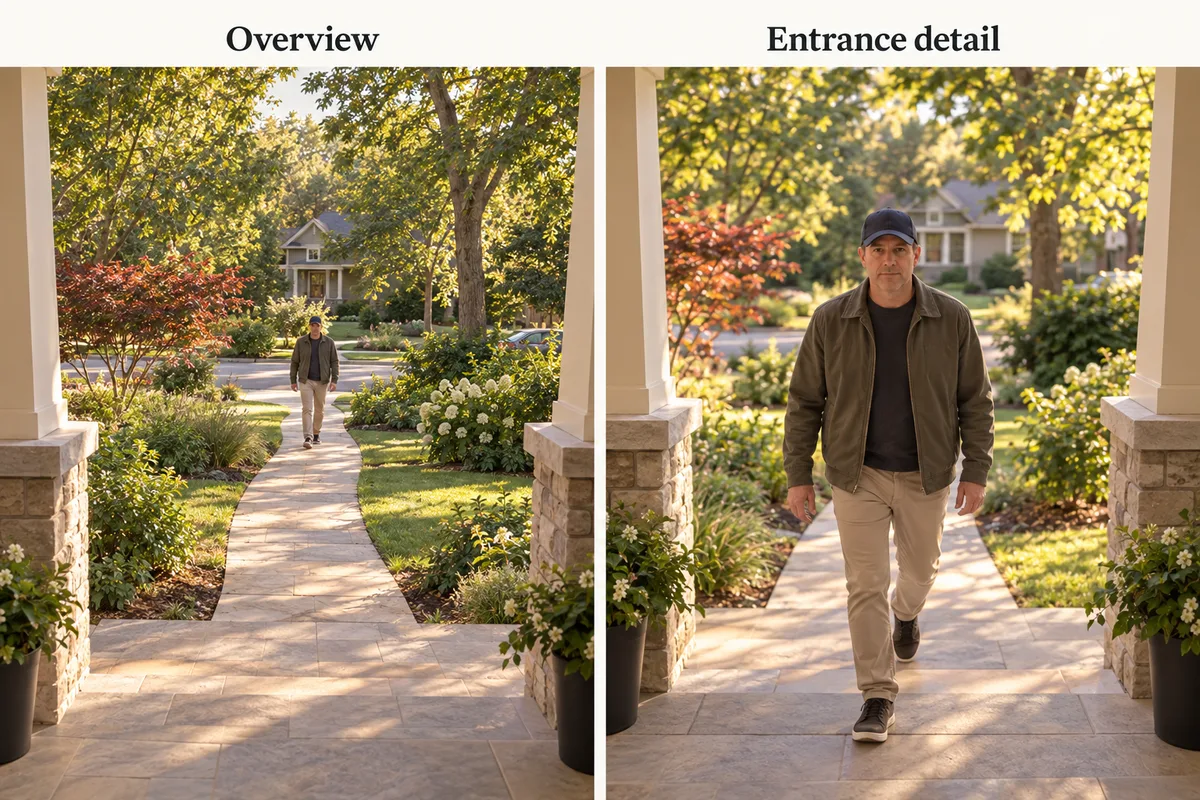
A wide-angle camera can document activity across a larger area while making individual subjects small. Adding pixels does not remove a car blocking the view. A second angle is worth considering when it covers a route that remains hidden, rather than repeating most of the first image.
License plates require a separate assessment. Axis's technical guidance describes specific alignment and camera settings for plate capture; the default settings of a general-purpose camera are not equivalent to a dedicated plate-capture installation. Do not use a resolution-based distance table as a promise of readable plates at night.
Choose the recording job before the product
Event recording can be useful for alerts, but check the start of the clip and any gaps. If your goal is to review the full period before an incident, compare exact models supporting a continuous timeline. Include storage capacity and overwrite behavior in that comparison, and export important footage promptly.
For a busy location, also consider maintenance: frequent activity, live viewing and lighting can affect battery use. A compatible plug-in or PoE installation may fit that job better, while a battery camera may fit a location without a practical power route. The power comparison explains the tradeoffs.
Shortlist by requirement
- Existing suitable electrical supply: compare the camera catalog for the exact hardwired or plug-in model; confirm the installation requirements.
- Local continuous recording: Wyze Cam v4 is one model to investigate for its documented microSD mode; include the specified outdoor power arrangement.
- No practical new power cable: compare a solar-assisted battery setup, then check whether its event recording meets the job.
- Weak garage Wi-Fi: solve the network route before buying more wireless cameras.
Use privacy controls to keep attention on your property and reduce unnecessary views into neighboring homes. Confirm the app's zone settings actually affect the intended function: an alert zone and a recording privacy mask are not necessarily the same setting.
Run a final walk-through
Repeat the approach from every access route with the normal cars parked. Check both day and night recordings, timestamps, remote access and clip export. If a blind side remains, adjust the mount or add a distinct view in the planner. A camera can provide useful evidence, but its presence does not guarantee that a break-in will be prevented.
Related questions
Can one camera cover a two-car driveway?
It may provide an overview, but parked vehicles can hide the far-side doors and approaches. Test both parking spaces and access routes before deciding one view is enough.
Will a 4K driveway camera read license plates?
Not reliably from resolution alone. Plate size in the image, angle, motion, exposure and headlight glare matter. Treat dependable plate capture as a specific installation requirement.
Should I buy a floodlight camera?
Consider one when its power requirements and mounting location fit the view you need. Test its night recording; brighter lighting alone does not prove that moving detail is clear.
Do I need continuous recording?
If you need a timeline between detected events, compare models that explicitly support continuous recording with your chosen power and storage. Event clips can leave gaps.
MAKE IT FIT YOUR HOME
Choose your next step
Use the conditions from this guide as a starting point. Your current list stays in place while you compare.
CHOOSE DEVICES
One driveway view
Compare a single camera for a view you have already checked. Power is your choice.
Compare in My list → Plan positions firstCHOOSE DEVICES
Overview + a closer approach
Compare two-camera setups when you have decided that two separate views are needed.
Compare in My list → Plan positions firstChoose a bundle or individual devices, then add them to My list for compatibility checks and store links. A selected quantity is not a guarantee of coverage.
Sources & checks
- Axis: license plate capture requires specific alignment and settings
- Wyze: Cam v4 local recording requirements
- Our placement illustrations and performance limits
Guide checked 2026-09-16. Product prices and specifications have their own checked dates on each model page.